Why Your Blog Traffic Dropped and What to Do About It

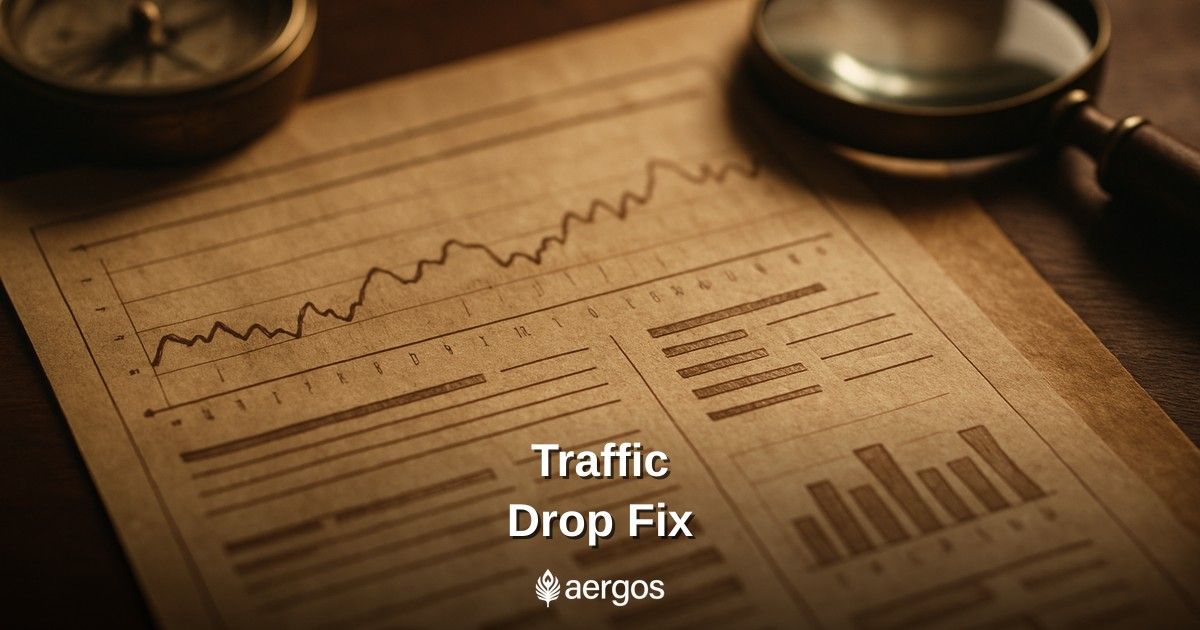
You open Google Search Console on a Monday morning and something looks wrong. The line graph that usually ticks steadily upward has taken a sharp dive. Your blog traffic dropped (maybe gradually over a few weeks, maybe overnight) and now you're staring at a gap between what you expected and what you're actually getting. Before you panic and start making random changes, stop and work through a proper SEO audit. A traffic drop is a symptom, not a diagnosis. And treating the wrong cause will make things worse.
In my experience, most blog traffic drops trace back to one of four root causes: a Google algorithm update, a competitor who quietly got better, content that aged out of relevance, or a technical issue that quietly broke something. Each one has a different fix. The trick is figuring out which one you're actually dealing with.
Start With a Timeline, Not a Theory
The first thing I do when a client's traffic takes a hit is build a timeline. Pull your Google Search Console data and set the date range to the last six months. Look for the exact date the drop began. Then cross-reference that date with Google's confirmed core update history.
Google publishes a running list of confirmed updates on Google's Search Status Dashboard, including when each rollout starts and finishes. If your drop lines up within a day or two of a confirmed update rollout, that's your first clue. If there's no update nearby, you're probably looking at something else.
Also check for seasonal patterns. Some industries drop hard in certain months every single year. A personal finance blog might see traffic fall in May after the tax-season spike fades. Comparing year-over-year in Search Console is more honest than comparing month-over-month.
Cause #1: A Google Algorithm Update Hit You
Algorithm updates are the most dramatic cause of a traffic drop, and they're also the most misunderstood. People assume an update means Google punished them for something shady. That's rarely true. More often, a core update reshuffled what Google considers the most helpful result for a given query, and your page got outranked by something that better fits the current standard.
The Google Helpful Content guidance is a good place to audit your content against. The key question Google is asking: is this content written for people first, or for search engines first? I've watched sites with technically correct, keyword-optimized posts get crushed by a competitor whose content was messier but clearly written by someone who'd actually done the thing.
If an algorithm update is the culprit, random tweaks won't fix it. You need to audit your lowest-performing pages and ask honestly: does this page deserve to rank? Is it better than what's ranking now? If the answer is no, you have real editorial work ahead of you.
How to diagnose an algorithm-related drop
- Date of the drop aligns with a confirmed Google update
- Multiple pages dropped at once, not just one or two
- Queries where you lost visibility are closely related thematically (e.g., all your product review posts, or all your how-to guides)
- Pages that lost traffic have thin content, low word count, or minimal original insight
- Competitors who outranked you have deeper, more experience-forward content
Cause #2: A Competitor Got Significantly Better
This one happens slowly, which makes it harder to catch. A competitor who invested in their content program six months ago is outranking you now. You didn't get worse. They got better. The result looks the same in your Search Console: impressions falling, clicks falling, average position creeping down.
Pull the specific URLs that lost the most clicks. Take those pages' focus keywords and do a fresh SERP check. Who's sitting in positions 1 through 3 right now? When did those pages publish or update? If you see competitors with recent publication dates or recently refreshed content, that's your signal.
Tools like Ahrefs and Semrush both let you run a competitor content gap analysis. It's not glamorous work, but reading your competitors' top-ranking posts and honestly grading them against yours is one of the most valuable diagnostic sessions you can run. And yes, it's humbling. Most of the time when I do this exercise, I can see exactly why the other page won.
What to do when a competitor outranked you
- Identify the specific pages and keywords where you lost ground
- Read the competitor's ranking page in full: what depth, format, or angle do they have that you don't?
- Update your page: add more original insight, first-hand experience, relevant examples, or structured data
- Improve internal linking to the updated page so Google recrawls it faster
- Monitor ranking movement weekly for the next four to six weeks
Cause #3: Your Content Got Stale
Picture this: you wrote a thorough, well-researched post two years ago. It ranked well. You moved on. You never touched it again. Now the statistics it cites are outdated, the tools it recommends have changed, and Google's understanding of searcher intent for that topic has evolved. The page still exists; it just quietly stopped earning the clicks it used to.
Content decay is real and underappreciated. It's common for a large share of a traffic drop to trace back to a handful of aging evergreen posts that peaked long ago and have been sliding ever since. The fix isn't to delete them. It's to refresh them aggressively.
Go into Search Console and filter by pages with declining impressions over the last six months. Sort by largest impression drop. Those are your decay candidates. For each one, ask: has the topic changed? Have better sources emerged? Is the search intent different now than when you wrote it? If yes to any of those, that page needs a meaningful update, not a light copy edit.
Signs your content has decayed
- The page's traffic has been declining steadily for three or more months: no sudden cliff, just a slow slide
- Click-through rate from Search Console has dropped even though your average position stayed roughly the same
- The post references outdated statistics, deprecated tools, or old product versions
- Competing posts have more recent publish or update dates visible in the SERP snippet
- The page's bounce rate has increased or time-on-page has dropped (check GA4)
Cause #4: A Technical Issue Broke Something Quietly
Technical SEO issues are sneaky. A misconfigured robots.txt file, an accidental noindex tag added during a site update, a redirect chain that got one hop too long: none of these send you an alert. You just wake up one day and the traffic is gone.
If your drop was sudden (like a cliff, not a slope) and it doesn't line up with an algorithm update, go technical first. Open Search Console's Page indexing report and look for pages that shifted from Indexed to Not Indexed. Check your robots.txt file. Look at your Core Web Vitals report for any pages that recently moved from Good to Needs Improvement.
Run a crawl with Screaming Frog or Sitebulb. Look for any pages returning a 200 status that also carry a noindex directive: that combination will pull a page out of the index fast. Also check for soft 404s, broken canonical tags pointing to the wrong URL, and hreflang errors if you're running a multilingual site.
Technical checks to run immediately
- Verify your robots.txt isn't blocking Googlebot from important blog directories
- Check your top affected pages for accidental noindex meta tags
- Audit redirect chains: anything with three or more hops should be cleaned up
- Look at your Core Web Vitals in Search Console, specifically LCP and CLS on mobile
- Confirm your XML sitemap is up to date and submitted correctly in Search Console
- Run a crawl and check for canonical tag issues: a self-referencing canonical should point to the page itself, not a different URL
What If It's More Than One Cause?
Here's the uncomfortable truth: most significant traffic drops involve more than one factor. An algorithm update may have reshuffled things, and your content was already starting to decay, and a competitor was already gaining ground. All three contributed. That's frustrating because there's no single fix.
The right move is to triage. Fix the technical issues first: they're usually quick wins and they unblock everything else. Then prioritize a content refresh on your highest-traffic pages that are showing decay signals. Then do the competitive gap work to understand what you need to improve editorially. Work in that order.
And give it time. SEO recovery is not a switch you flip. In my experience, you typically start seeing measurable improvement four to eight weeks after a meaningful content refresh or technical fix, sometimes longer after a core update, which often requires waiting for the next update to roll through.
Where to Start Right Now
If your blog traffic dropped and you're not sure where to start, here's the process I'd walk through in the first hour of diagnosis.
- Open Google Search Console. Pull your last six months of performance data and identify the exact date the drop started.
- Cross-reference that date against confirmed Google algorithm updates using Google's Search Status Dashboard.
- Check the Page indexing report and look for any indexing changes that coincide with the traffic drop date.
- Filter your pages by largest impression decline. Pick your top five losers and do a fresh SERP check on their focus keywords.
- Read the pages currently ranking above yours. Be honest about the quality gap.
- Run a crawl, even a free Screaming Frog crawl of your top 500 URLs, and check for noindex issues, redirect chains, and broken canonicals.
- Build a priority list: technical fixes first, content refreshes second, competitive gap work third.
If you want a faster starting point, Aergos's site audit tool sits alongside its rank tracking, so you can review technical issues and rank movement in one place, which saves a lot of tab-switching during that first diagnostic session.
A traffic drop feels personal. It's not. It's a signal. The sites that recover fastest are the ones that treat it like a puzzle to solve rather than a catastrophe to survive. Get diagnostic, get specific, and then get to work.
Frequently Asked Questions
Is your site set up to show up in search and AI?
Run a free instant audit. We check the on-page SEO basics and the files that control whether search engines and AI crawlers can access your site: robots.txt, sitemap.xml and llms.txt.
Free · instant · no sign-up for your first audit.
Related Articles
Glossary terms in this article
Brush up on the definitions.
Google's free webmaster tool that provides data on a site's organic search performance, indexing status, crawl errors, and manual actions.
The process of identifying topics your competitors cover that you don't, revealing opportunities to create content that captures missing traffic.
The percentage of users who click on a search result, ad, or link after seeing it, calculated as clicks divided by impressions.
A change to a search engine's ranking algorithm that alters how pages are evaluated and ordered in search results.
The mean ranking position of a page in search results for a given keyword, as reported in Google Search Console.
Hyperlinks that connect pages within the same website, distributing link equity, improving crawlability, and helping users navigate related content.
About Matt Weitzman
Senior SEO/GEO Strategist & Founder
Matt has over 15 years of experience in technical SEO and digital marketing. He specializes in algorithmic recovery, enterprise architecture, and leveraging AI for content scaling. He is a frequent speaker at search marketing conferences.
More articles by Matt Weitzman